

This page covers the web app. To generate voices from code, see Voice Design in the API guide. To clone a real, verified voice at studio quality, see Professional Voice Clone.
Before you begin
- Sign in at fish.audio/app.
- A paid plan. Voice Design is not included in the Free plan. On the Free plan, you are asked to upgrade.
- Credits. The cost of each generation is shown below the Generate Samples button.
Open Voice Design
Go to fish.audio/app/create-voice and, under Pick a method, choose Voice Design.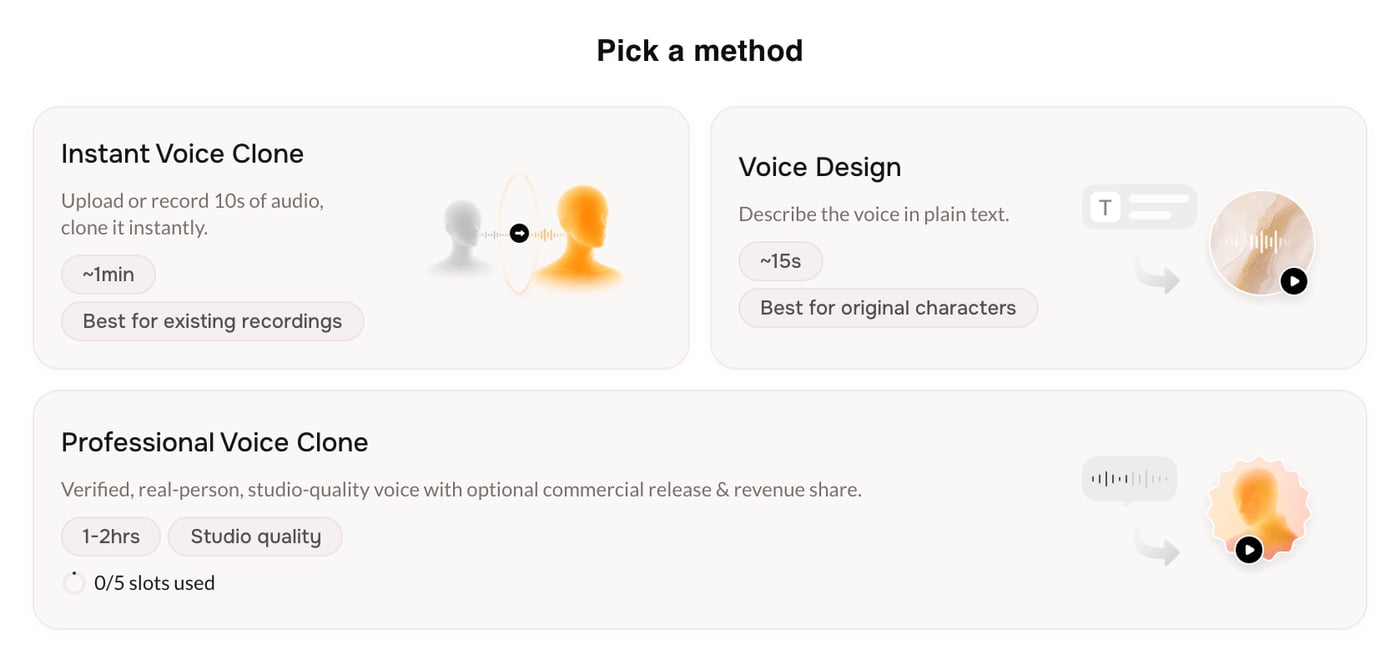
Create the voice
1
Describe the voice
Under Describe the voice you want, type one or two specific sentences. For example: “A warm, slightly raspy middle-aged narrator with a soft American accent. Calm, deliberate pace, great for late-night audiobooks.” Your description must be between 20 and 1000 characters.To start faster, click a starter prompt such as Warm late-night radio host, Documentary narrator, or Children’s storyteller.To control what the samples say, click Set preview text and enter a short line (5 to 150 characters). If you leave it blank, Fish Audio writes a short sample for you.Click Generate Samples.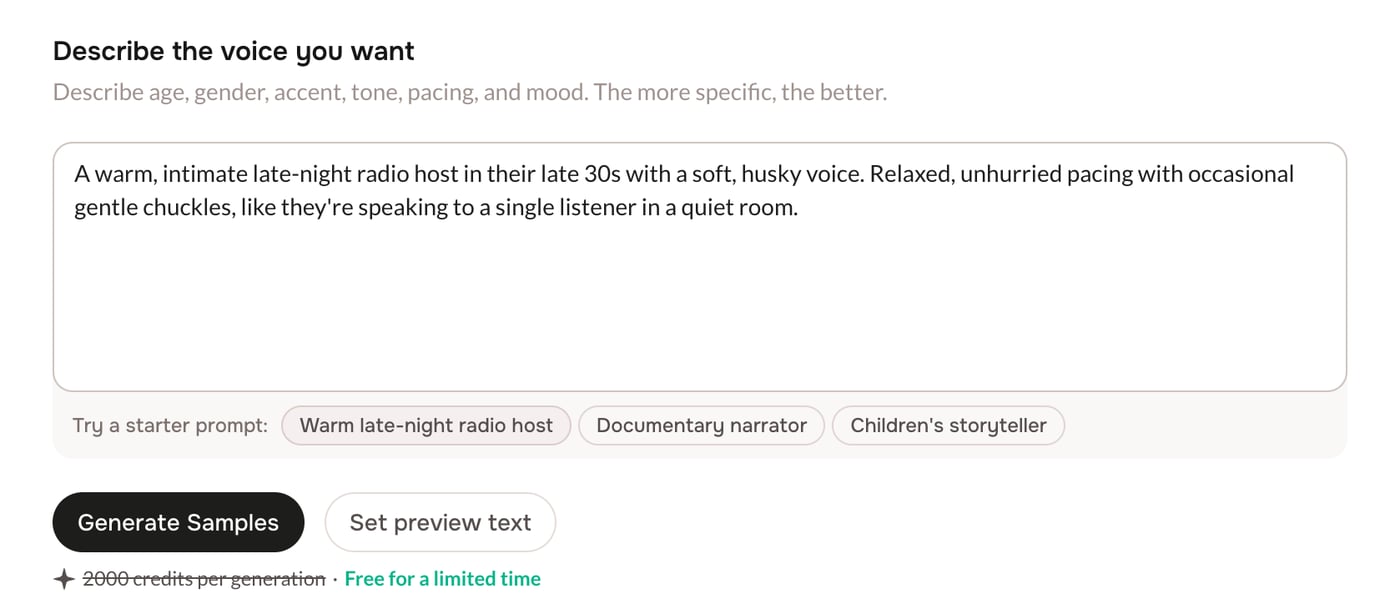
2
Pick a sample
When generation finishes, the Pick a voice section shows two samples. Click play on a card to listen, and click the waveform to jump to a spot.Not happy with either? Click Re-generate Samples for a new pair. Your earlier pairs are kept: use the arrows next to the counter to go back to them.Click Select on the sample you want (it changes to Selected), then click Continue.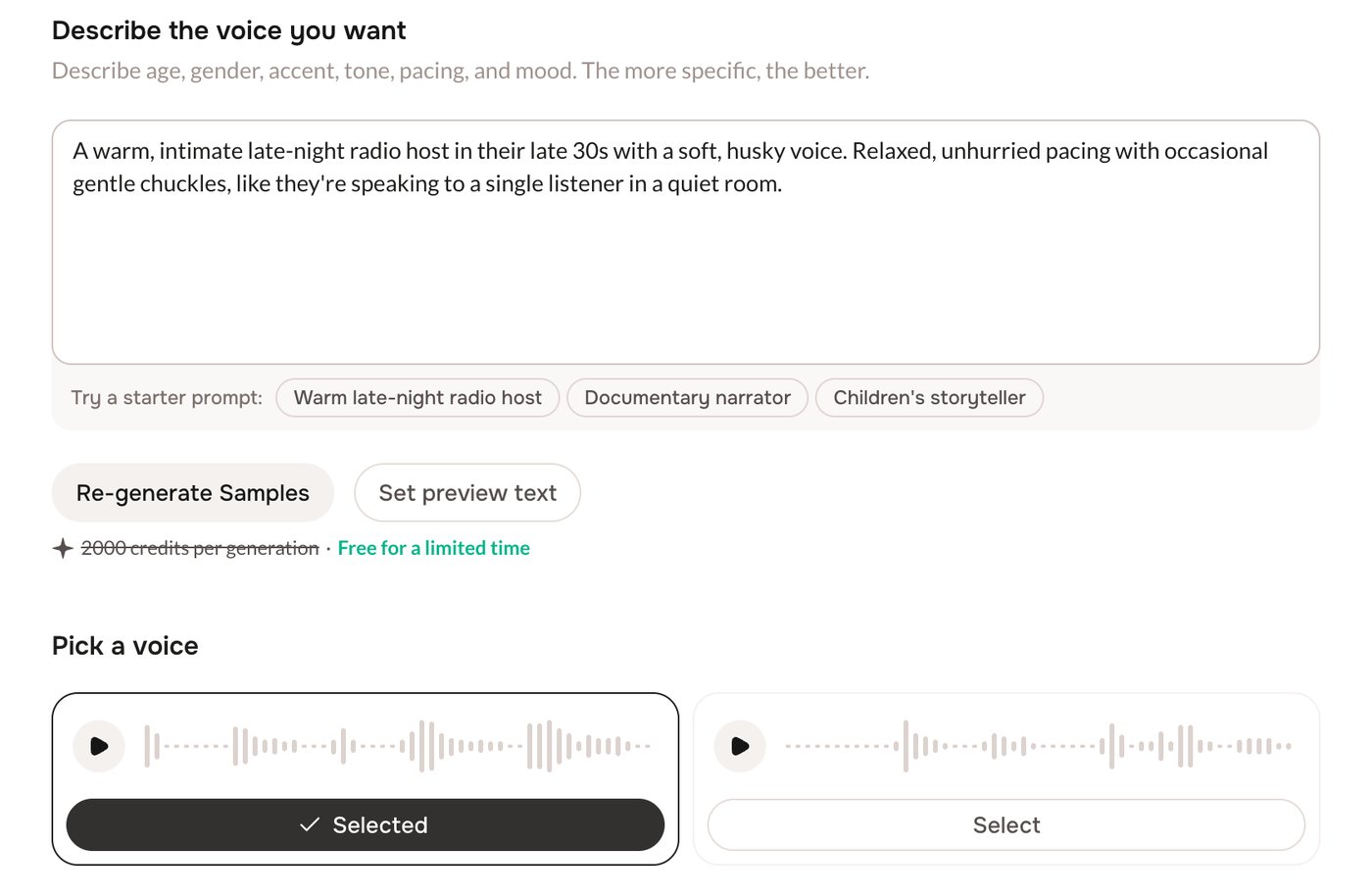
3
Add details and save
On the Voice Details screen, a preview card updates as you fill in the form. Fish Audio fills in some fields for you from your description and the selected sample. Check them and change them if necessary.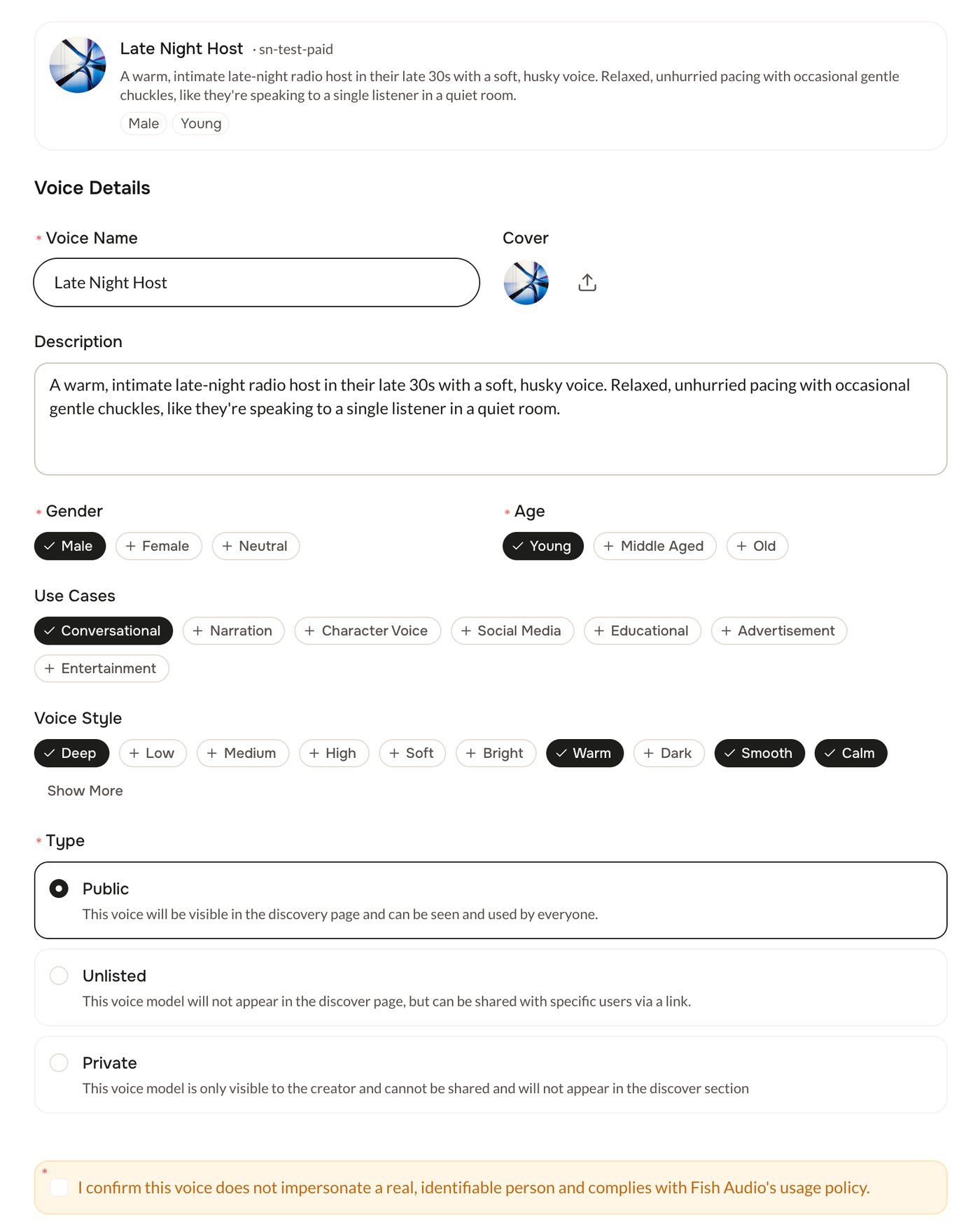
- Voice Name (required).
- Gender (Female, Male, or Neutral) and Age (Young, Middle Aged, or Old) (required).
- Cover, Description, Use Cases, and Voice Style (optional).
- Type: Public (shown in discovery), Unlisted (shareable by link), or Private (only you).
Leave and come back
Fish Audio saves your progress in this browser: your description, your samples, the selected sample, and the details you entered. When you open Voice Design again, you continue where you stopped. The saved draft is cleared after you create the voice.Troubleshooting
Voice Design is not included in the Free plan
Voice Design is not included in the Free plan
Voice Design needs a paid plan. Upgrade your plan to design voices from text.
Private Voice Limit Reached
Private Voice Limit Reached
Some plans limit how many Private and Unlisted voices you can have. When you reach the limit, set the voice Type to Public, or upgrade your plan.
Create Voice shows errors
Create Voice shows errors
Fill in every required field: Voice Name, Gender, Age, and the confirmation box. The page scrolls to the first field that needs attention.
Next steps
Professional Voice Clone
Clone a real, verified voice at studio quality.
Manage your voices
Find, edit, and use the voices you have created.